Quoting flights for clients: one search, every fare type
How Traviology shows NDC, low-cost and airline-direct fares in one results list under your brand, with a reprice check before ticketing and multi-city pricing.
Traviology puts NDC, low-cost and airline-direct fares in one results list on your own storefront, then reprices before ticketing so the fare you quote is the fare you sell.
By Traviology · Published 2026-10-19
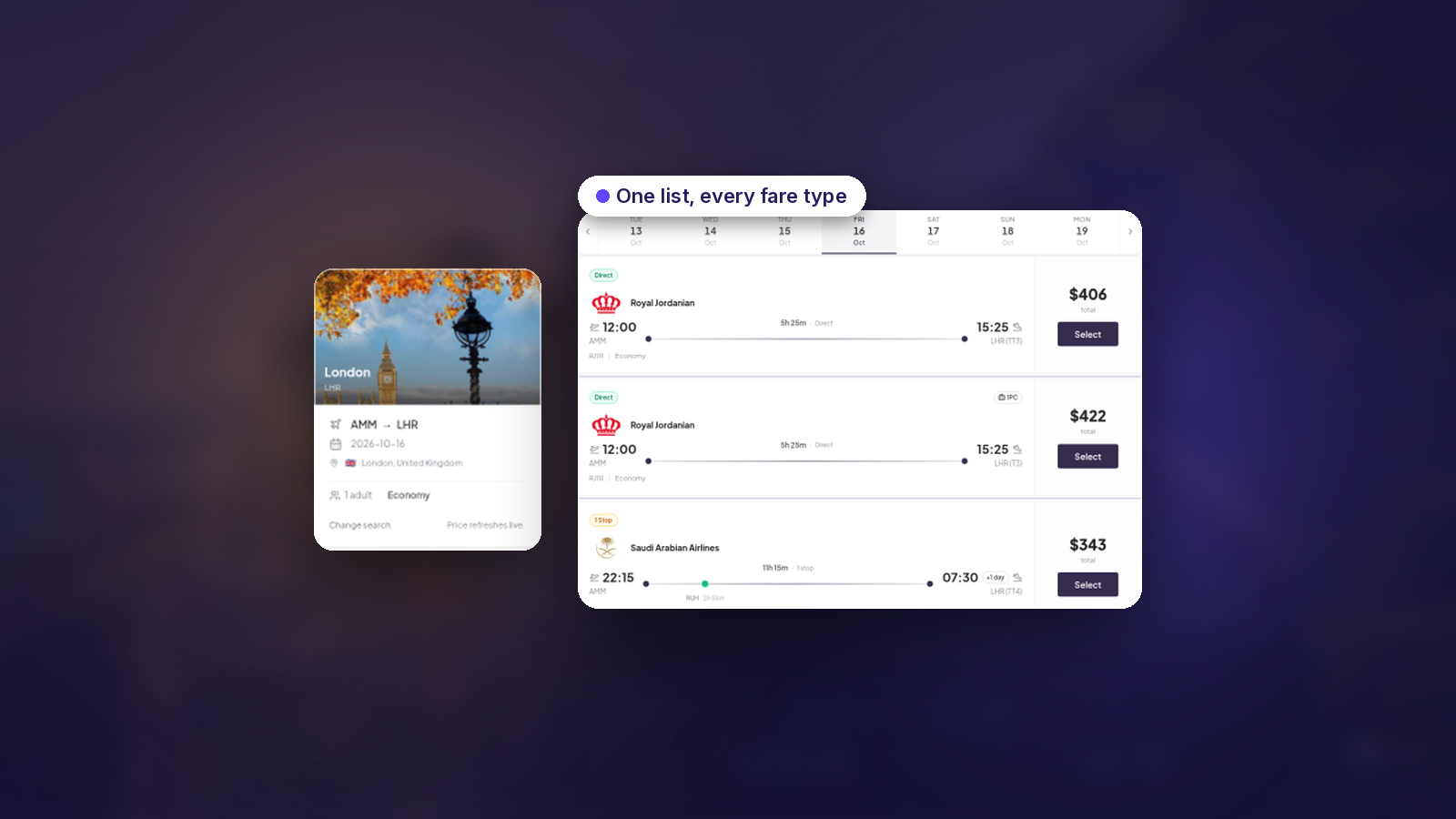
A client asks for London to Dubai in June. You check one airline's site, then a low-cost carrier, then a consolidator fare, and you paste three prices into an email. Then you wait. By the time they reply, one of the three has moved. Flight search in Traviology is built to stop that loop.
One results list, several kinds of fare
Airline content arrives through different channels, and Traviology pulls them into a single list on your storefront:
NDC offers, with branded fares and ancillary-ready structures when the network supplies them
Low-cost carriers, so price-sensitive routes sit beside full-service options
Airline-direct and web fares where connected
Classic GDS connectivity through Amadeus, Sabre and Travelport (Galileo) is on the enterprise roadmap. The idea behind one list is simple. Agents compare offers, not pipes. Your client doesn't care where a fare came from; they care that it's bookable and that the price is clear.
How to quote a flight, step by step
1. Pick the trip shape
Search one-way, round-trip or multi-city. One-way shows fares, cabins and baggage before the guest commits. Round-trip treats outbound and return as one offer, or lets you mix return options when the network allows. Multi-city prices each leg separately, which matters if you sell routes like Amsterdam, Bangkok, Singapore and back.
2. Compare and choose
Offers from every source land in the same list, already priced with your markup, so all you have to do is pick the one that fits the client's budget and schedule.
3. Reprice before you ticket
Fares move. Before ticketing, the offer is repriced and availability is confirmed, so what you sell matches what you showed.
4. Ticket under your brand
Search through confirmation stays on your domain. Wallet, markup and admin are included. The client never lands on someone else's booking site.
What the coverage looks like
The flights page lists 600+ bookable airlines across 100+ points of sale, full-service and low-cost carriers alike. Both figures are supplier-published, and both can change.
When the flight is only the first leg
Trip Planner handles the rest of the trip: the flight attaches to the stop it serves, next to the hotel, train or transfer that follows, and the trip total updates as you pick.
See it for yourself
The flights product page covers the content types and the GDS roadmap in more detail.
Open the live demo and search a route you quote every week. Set the result beside how you build that quote today. That's the quickest way to judge whether it fits your desk.
See it on your brand
Flights, hotels, trains, transfers, and tours, sold under your name. One short walkthrough, then you decide.