How to quote a multi-stop trip on one live map
Build multi-city itineraries on a live map, pair flights, hotels, trains, transfers and tours per leg, and send a branded itinerary with Traviology Trip Planner
Traviology's Trip Planner lets agents place stops on a live map, pair flights, hotels, trains, transfers and tours to each leg, watch the trip total update, and send a branded itinerary for approval.
By Traviology · Published 2026-10-10 · Updated 2026-10-11
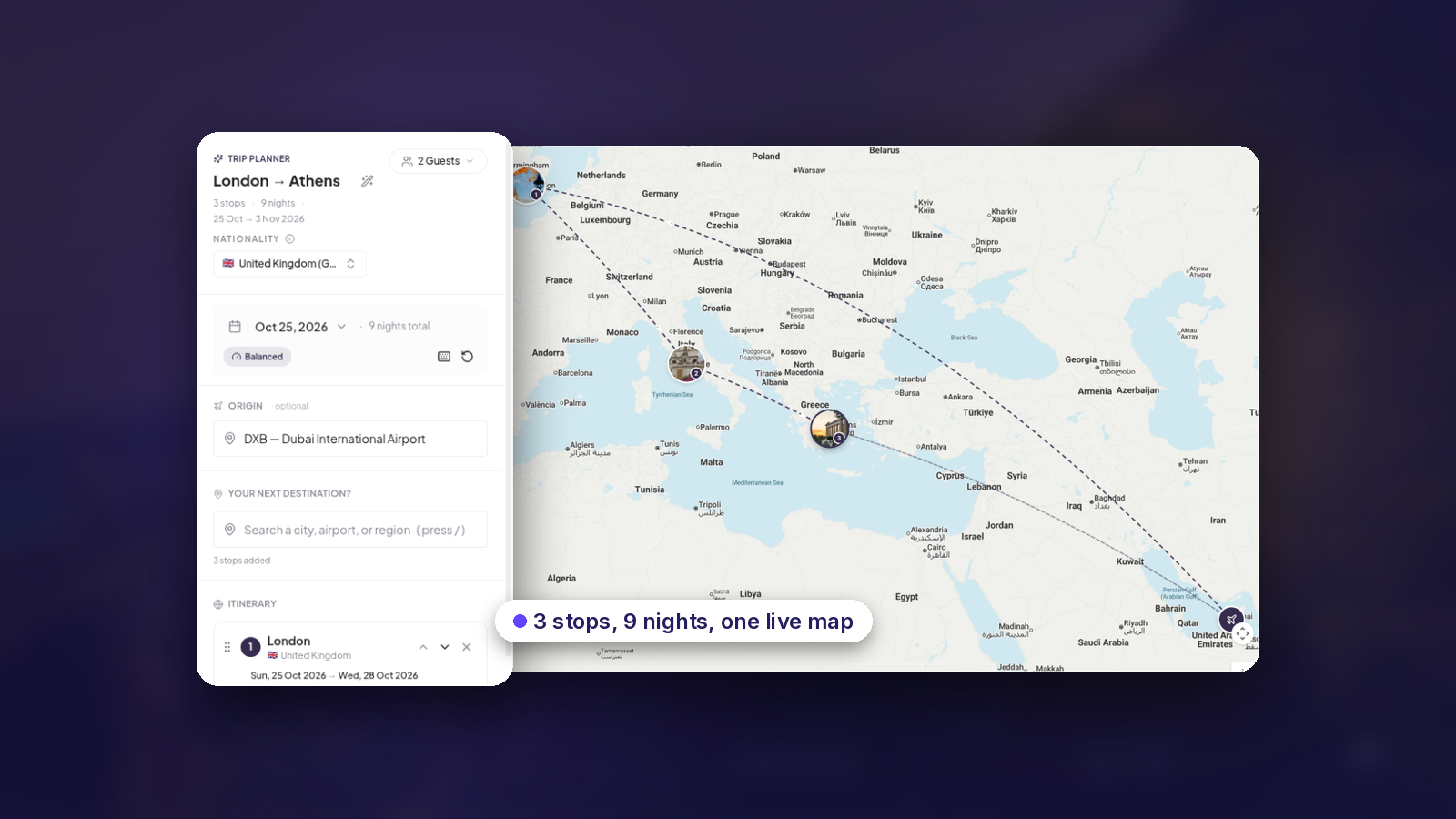
A multi-stop trip is hard to quote because every piece lives somewhere else. The flight is in one search, the hotel in another, the transfer in a third. The total sits in a spreadsheet you rebuild every time the client moves a date. Annoying. Traviology's Trip Planner puts the whole trip in one place: a live map, a set of legs, and a total that moves while you build.
Start with the stops on a map
In Trip Planner, an agent places stops on a live Google Map, then sets dates and travelers. The planner lays the legs out in travel order, so a London, Paris, Rome trip reads the way the client will actually travel it. The map redraws as the trip changes. A route that doubles back? You'll see it before you've spent a minute pricing it.
Pair products to the leg they belong to
Each leg picks from live inventory across five products:
Flights
Hotels
Trains
Transfers
Tours
Every product is chosen in the context of the stop it serves. The Santorini hotel sits on the Santorini stop, beside the flight in and the airport transfer. Nothing floats around as an orphaned booking for someone to match up later.
Three trip shapes it handles
City break
One stop, with its flight, stay and airport transfers on a single timeline.
Multi-city route
Stops chained in travel order. Each leg has its own transport and accommodation before the next one begins.
Mixed transport
Swap a flight leg for rail or a transfer when that's the better connection. The planner re-shops the affected legs.
A total you can quote from
Connected products price inside the planner, and the itinerary total updates with every pick. Move a date or a stop and the affected legs re-shop. The number follows the change instead of going stale. Your markup and currency rules work the same here as they do across the rest of your storefront, which means the price an agent sees is the price you mean to charge.
Send it under your name
When the trip is ready, the agent sends a branded itinerary that the client can read and approve, then takes the agreed trip through to booking. It all runs on your domain and in your colors. Guests receive your agency's itinerary, not Traviology's.
Built for real desk work
Complex trips rarely get finished in one sitting. Drafts are resumable. Build across sessions and pick up exactly where you stopped. Each agency also runs its own planner, with its own markup and its own brand.
Try it on a trip you already sell
The quickest test is a route you quote often. Open the live demo at try.traviology.com/trip-planner, drop in two or three stops, pair the legs, and see whether the result matches what you'd normally assemble by hand. For how it sits on top of flights and hotels, trains, transfers and tours, the Trip Planner product page on traviology.com has the detail.